Turn a GitHub repo into an editable architecture graph.
Map your codebase. Refine the graph by hand. Use AI against the architecture state you actually created — and refine your architecture.
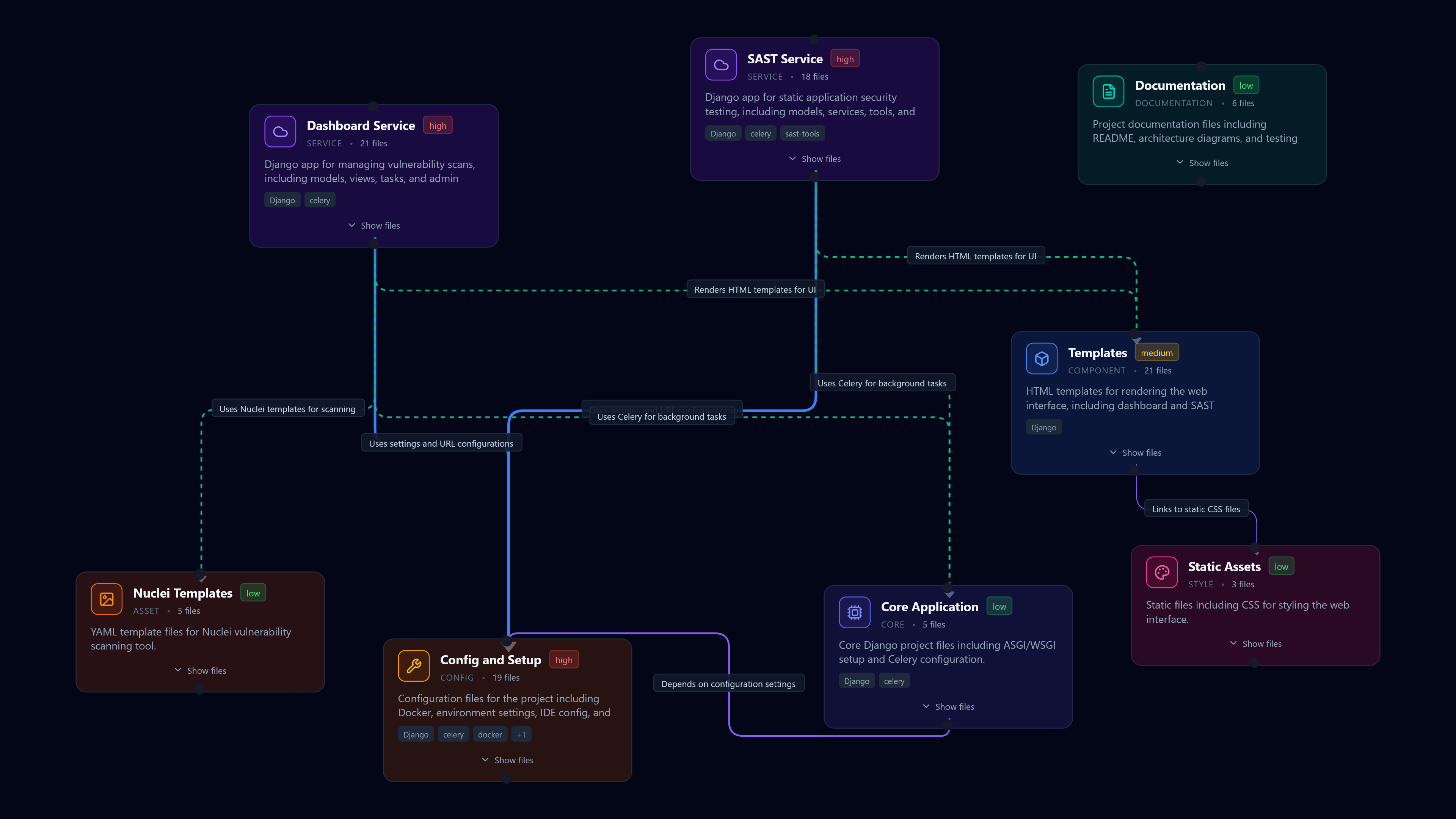
Demo walkthrough
Import, edit, sync, and chat — all in one pass.
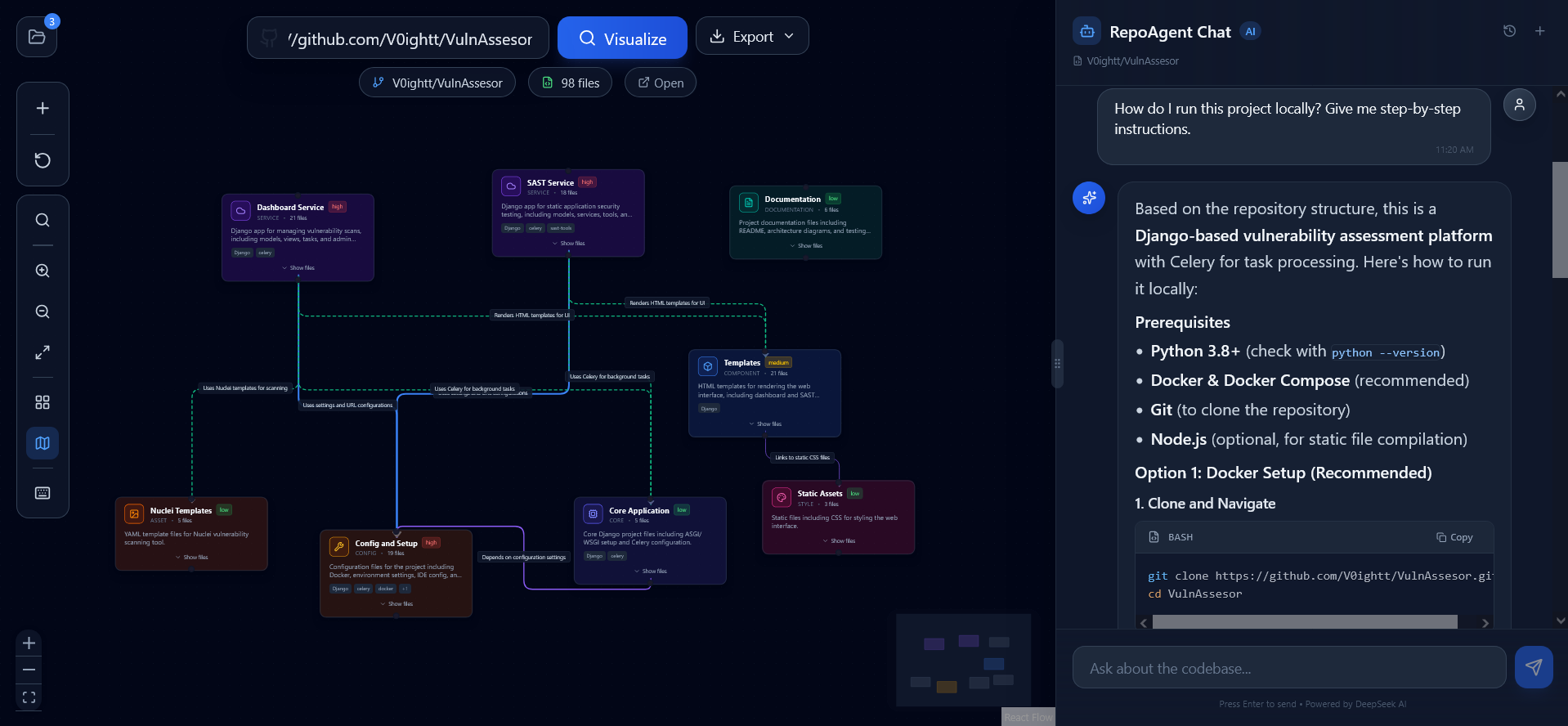
The real workflow, end to end
Import a repository → inspect the graph → sync the canvas → ask or agent on the same context.
A tighter loop than a generic diagram tool.
Three steps to go from repository to documented architecture — import, sync, iterate.
Load a repository or start blank.
Paste a GitHub URL to generate the architecture graph from actual code. Or open a blank canvas when you are designing before implementation.
Keep AI attached to your graph.
Hit Canvas Sync to snapshot nodes, edges, layout, and selection. Chat reasons over the architecture you actually built — not a stale cache.
Ask, agent, and export in one place.
Switch between ask mode, agent mode, and export formats. The canvas, chat, and file viewer stay in sync without page reloads.
Multiple node types
API, Component, Database, Auth, Service, Hook — each with unique colors and icons.
AI chat modes
ask mode inspects files and state. agent mode can create and edit nodes and edges on the canvas.
Export anything
High-quality PNG, scalable SVG, or JSON data. Use them for documentation, presentations, or backup.
Running in three commands.
No account required. No cloud dependency. Clone, install, run — full architecture canvas on localhost.
Clone the repository
Start from the public GitHub repo. Standard local checkout, nothing vendor-locked.
Install dependencies
npm install, then optionally add a .env.local or .env with your API keys for AI features.
Run the dev server
Open localhost:3000. The full architecture canvas, chat, and file viewer run locally.
.env.example → .env.local for API keys and AI features.Built in public. Ready for contributors.
Rassam is AGPLv3-licensed, self-hostable, and accepts contributions from anyone who wants to improve architecture tooling for developers.
Read the README for setup, architecture notes, and current behavior.
Open an issue or PR when the graph, chat flow, or UI needs work.
Use Discord for early feedback before making larger changes.
Community chat on Discord — discuss before you PR.